QR Code Payments for Zimbabwe Businesses: The Complete Guide to Going Cashless
QR Code Payments for Zimbabwe Businesses: The Complete Guide to Going Cashless
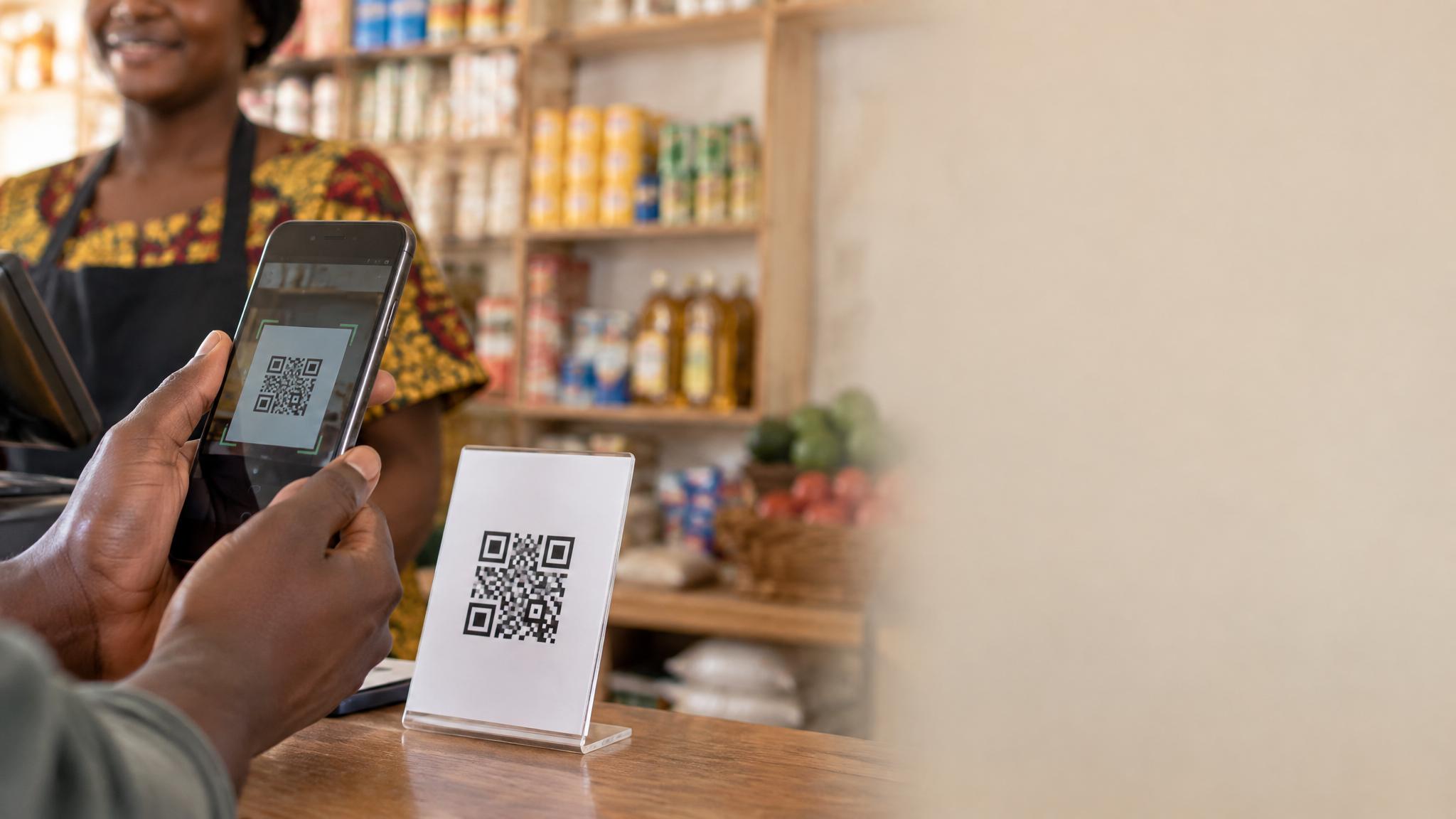
Walk into any busy market in Harare's Avondale or a clothing boutique in Bulawayo's City Centre today and you will notice something that would have seemed futuristic just three years ago: customers holding up their phones to scan a small printed square on the counter, completing a purchase in under five seconds without touching cash or a card machine. QR code payments have arrived in Zimbabwe, and they are changing how businesses collect money.
For business owners, the appeal is obvious. No card machine rental fees. No cash handling risks. No change-giving headaches. Just a code that customers scan and pay. But getting started raises real questions: Which QR payment system works best in Zimbabwe? How much does setup cost? Will your customers actually use it? And how do you integrate QR payments into your existing business app or point-of-sale system?
This guide answers all of those questions with practical, Zimbabwe-specific advice drawn from businesses already using QR payments successfully across the country.
What Are QR Code Payments and How Do They Work?
A QR (Quick Response) code is a two-dimensional barcode that stores information, in this case, your payment details. When a customer scans it with their smartphone camera or a payment app, the app reads your merchant ID, account details, and transaction parameters, then prompts the customer to confirm the amount and complete the payment.
The transaction flows like this:
- The merchant displays a static QR code (printed or on a screen) or generates a dynamic QR code for the specific transaction amount.
- The customer opens their payment app (EcoCash, InnBucks, Paynow, or a bank app) and scans the code.
- The app pre-fills the merchant details and, for dynamic codes, the exact amount.
- The customer confirms and the payment processes instantly.
- Both parties receive a confirmation notification.
Static vs Dynamic QR Codes
Zimbabwe businesses use two types of QR codes for payments:
Static QR codes are fixed codes linked to your merchant account. The customer scans the code and manually enters the amount. These are cheap to produce (just print them) and work well for market stalls, food vendors, and small shops where transactions vary constantly. The downside is that the customer enters the amount, which introduces the possibility of errors.
Dynamic QR codes are generated per transaction and embed the exact amount. Your POS system or app generates a fresh code for each sale. The customer scans, confirms the pre-filled amount, and pays. These are more accurate and better for retail environments where speed and precision matter. They require integration with your business app or POS system.
QR Payment Options Available to Zimbabwe Businesses
Zimbabwe's payment landscape has several QR-capable platforms, each with different merchant requirements and customer bases.
EcoCash QR
EcoCash is Zimbabwe's dominant mobile money platform with over 8 million registered users, making its QR payment feature the most widely accessible option for merchants. EcoCash Merchant QR allows businesses to accept payments directly into their EcoCash merchant wallet.
To get started, you register as an EcoCash merchant (free), receive your merchant QR code, and display it at your point of sale. Customers with EcoCash accounts scan the code using the EcoCash app or USSD shortcut. Transaction fees are charged to the merchant at approximately 1.5% per transaction, with a minimum fee of $0.05.
EcoCash QR works for both USD and ZiG transactions, which is critical for Zimbabwe businesses navigating the dual-currency environment.
Paynow QR
Paynow, Zimbabwe's leading online payment gateway, offers QR code functionality through its merchant dashboard. Paynow QR is particularly strong for businesses that already use Paynow for online payments, as it unifies in-person and online collections under one dashboard.
Paynow QR supports payments from multiple sources: EcoCash, InnBucks, Telecash, and major bank cards. This multi-source capability makes it the most versatile option for businesses serving customers who use different payment platforms. Merchant fees range from 1.5% to 2.5% depending on the payment source.
InnBucks QR
InnBucks has grown rapidly since its launch, particularly among younger urban consumers in Harare and Bulawayo. Its QR payment feature works similarly to EcoCash QR but draws from the InnBucks wallet ecosystem. For businesses targeting younger demographics or those in areas where InnBucks has strong penetration, adding InnBucks QR alongside EcoCash QR makes sense.
Bank QR Codes
Several Zimbabwean banks, including CBZ, Stanbic, and FBC, have introduced QR payment features through their mobile banking apps. These are particularly useful for businesses serving corporate clients or higher-income customers who prefer bank-to-bank transfers. Bank QR codes typically have lower transaction fees (0.5% to 1%) but require the customer to have the specific bank's app installed.
Real Zimbabwe Businesses Using QR Payments Successfully
Chiedza's Kitchen, Gweru
Chiedza Moyo runs a popular lunch spot near Gweru's main bus terminus, serving 80 to 120 customers daily. Before QR payments, she kept a float of $50 in small change and spent 20 minutes at the end of each day reconciling cash. Customers occasionally complained about waiting for change during the busy midday rush.
In March 2026, Chiedza printed three EcoCash QR codes (one for each serving station) and placed them in clear plastic stands on the counter. Within two weeks, 60% of her customers were paying by QR scan. By June, that figure had risen to 78%.
The results were measurable: her daily cash float dropped to $10, end-of-day reconciliation takes under five minutes, and she has not had a cash shortage incident since. More importantly, her average transaction time dropped from 45 seconds (cash) to 12 seconds (QR scan), allowing her to serve 15% more customers during the peak lunch hour. Monthly revenue increased by $380 simply from the faster throughput.
TechZone Electronics, Harare
TechZone is a mid-sized electronics retailer in Harare's Eastgate Mall with monthly sales averaging $45,000. The business integrated Paynow QR into its custom inventory and POS app built by ZimNinja Apps in early 2026. The dynamic QR system generates a unique code for each transaction, pre-filled with the exact purchase amount.
The integration reduced payment errors (wrong amounts entered by customers) to zero, down from an average of 8 errors per week with static codes. Staff training time for new cashiers dropped from two hours (cash handling procedures) to 20 minutes. The business now processes 65% of transactions via QR, 20% via card, and 15% in cash, compared to 40% cash before the integration.
The owner, Tatenda Mupfumi, reports that the unified Paynow dashboard has simplified his monthly accounting significantly: "Before, I had to reconcile EcoCash statements, bank statements, and cash separately. Now 85% of my transactions are in one dashboard. My accountant charges me less because the work is simpler."
Blossom Beauty Studio, Mutare
Blossom Beauty Studio is a hair and beauty salon in Mutare serving 40 to 60 clients per week. The owner, Rudo Chikwanda, added QR payment codes to her appointment booking app (also built by ZimNinja Apps) in February 2026. Clients can now pay deposits when booking online via QR code, and settle balances in-salon by scanning the same merchant code.
The deposit system reduced no-shows by 34% in the first three months, as clients who had paid a deposit were far more likely to honour their appointments. Monthly revenue increased by $620 due to fewer empty appointment slots. Rudo also noted that clients who paid by QR tended to tip more frequently, possibly because the frictionless payment experience left them in a better mood.
How to Set Up QR Code Payments for Your Zimbabwe Business
Step 1: Choose Your QR Payment Platform
Start with EcoCash QR if you want the broadest customer reach. Add Paynow QR if you want multi-platform support and a unified dashboard. Consider InnBucks QR if your customer base skews younger or urban. You can run multiple QR codes simultaneously; many Zimbabwe businesses display two or three codes side by side.
Step 2: Register as a Merchant
For EcoCash: Visit any Econet service centre or apply online at ecocash.co.zw/merchant. You will need your business registration documents, national ID, and proof of business address. Approval typically takes 2 to 5 business days.
For Paynow: Register at paynow.co.zw/merchants. The process is fully online and approval is usually within 24 hours for businesses with valid registration documents.
For InnBucks: Apply through the InnBucks merchant portal or visit an InnBucks agent. Approval takes 1 to 3 business days.
Step 3: Generate and Display Your QR Code
Once approved, each platform provides your merchant QR code as a downloadable image. Print it at A5 or A4 size for counter display. Laminate it for durability. For outdoor or high-traffic environments, consider a printed acrylic stand. The total cost of printing and displaying a QR code is typically under $5.
For dynamic QR codes, work with your app developer to integrate the payment platform's API into your POS or business app. ZimNinja Apps has built this integration for multiple Zimbabwe businesses and can implement it within your existing system.
Step 4: Train Your Staff
Staff training for QR payments is minimal. The key points to cover are: how to confirm a payment notification before releasing goods, what to do if a customer's scan fails (check their internet connection, try USSD backup), and how to handle refunds through the merchant dashboard.
Step 5: Educate Your Customers
Not all customers will be familiar with QR payments, particularly older customers or those in less urban areas. Place a small instruction card next to your QR code showing the three steps: open app, scan code, confirm payment. Staff should be ready to assist first-time users. Most customers who try QR payment once become regular users.
Integrating QR Payments into Your Business App
For businesses with custom apps, QR payment integration unlocks capabilities that static printed codes cannot provide.
Dynamic QR Generation
Your app generates a unique QR code for each transaction, embedding the exact amount, order reference, and merchant ID. This eliminates amount entry errors and creates a clean audit trail linking each payment to a specific order.
Real-Time Payment Confirmation
When a customer pays, your app receives an instant webhook notification from the payment platform. The order status updates automatically, inventory adjusts, and a receipt is generated, all without staff intervention. This is particularly valuable for restaurants, where the kitchen can start preparing an order the moment payment is confirmed.
Payment History and Reporting
Integrated QR payments feed directly into your app's reporting module. You can see daily, weekly, and monthly payment volumes, identify peak payment times, track which products are most frequently purchased via QR, and export data for accounting purposes.
Multi-Platform QR Support
A well-built business app can generate QR codes that work across multiple payment platforms simultaneously. The customer scans one code and their payment app detects the appropriate payment route automatically. ZimNinja Apps has implemented this for several Harare retailers, reducing the need to display multiple separate QR codes.
Costs and Fees: What to Expect
One of the biggest advantages of QR payments over card machines is the low setup cost. Here is a realistic cost breakdown for a Zimbabwe business:
- Merchant registration: Free on all major platforms
- QR code printing (A5, laminated): $2 to $5 per code
- Counter display stand: $3 to $8
- Transaction fees: 1.5% to 2.5% per transaction (charged to merchant)
- App integration (dynamic QR): $300 to $800 one-time development cost, depending on complexity
- Monthly platform fees: None on EcoCash and InnBucks; Paynow charges $5/month for merchant accounts above a certain volume
Compare this to a card machine: rental fees of $15 to $30 per month, transaction fees of 2% to 3.5%, and a setup deposit of $50 to $200. For most small and medium Zimbabwe businesses, QR payments are significantly cheaper.
Common Challenges and How to Handle Them
Customers Without Smartphones
Not every customer has a smartphone capable of scanning QR codes. In Zimbabwe, feature phone penetration remains significant, particularly outside major cities. The solution is to maintain QR payments as one option alongside cash and USSD payments, not as the only option. Most businesses find that 60% to 80% of customers can use QR payments, with the remainder using cash or USSD.
Connectivity Issues
QR payments require internet connectivity on the customer's device. In areas with poor network coverage, payments can fail or take longer than expected. Train staff to offer USSD payment as a backup (EcoCash USSD works on any phone without internet). For your app, implement a clear "payment pending" state that resolves once connectivity is restored.
Fraud and Fake Payment Screenshots
A known fraud pattern in Zimbabwe involves customers showing a fake payment confirmation screenshot. Never release goods based on a screenshot alone. Always verify payment through your merchant dashboard, your app's real-time notification, or an SMS confirmation from the payment platform. Dynamic QR codes with webhook confirmations eliminate this risk entirely, as your system only marks an order as paid when the platform confirms the transaction.
Reconciliation Across Multiple Platforms
If you accept QR payments from multiple platforms (EcoCash, Paynow, InnBucks), reconciling across separate dashboards can be time-consuming. The solution is to integrate all payment platforms into a single business app dashboard, which aggregates transactions from all sources into one view. This is a standard feature in ZimNinja Apps' business app builds.
Key Takeaways
- QR payments are low-cost to set up: Merchant registration is free on all major Zimbabwe platforms, and a printed QR code costs under $5. The savings versus card machine rental fees are immediate.
- EcoCash QR gives the broadest reach: With over 8 million users, EcoCash QR reaches the largest share of Zimbabwe customers. Add Paynow for multi-platform support.
- Dynamic QR codes in your business app eliminate errors: Pre-filled amounts, real-time confirmations, and automatic order updates make dynamic QR integration far superior to static printed codes for retail and hospitality businesses.
- Always verify payments server-side: Never release goods based on a customer's screenshot. Use webhook notifications or dashboard verification to confirm every transaction.
- QR payments speed up transactions: Businesses report transaction times dropping from 45 seconds (cash) to 12 seconds (QR scan), directly increasing throughput and revenue during peak hours.
Frequently Asked Questions
Do I need a smartphone to accept QR payments as a merchant?
No. As a merchant, you only need to display your QR code, which can be a printed piece of paper. Your customers use their smartphones to scan and pay. You receive payment confirmations via SMS or through your merchant dashboard on any internet-connected device, including a basic laptop or tablet.
Can I accept QR payments in both USD and ZiG?
Yes. EcoCash QR and Paynow both support USD and ZiG transactions. When setting up your merchant account, you specify which currencies you accept. Customers paying in ZiG will see the ZiG amount; those paying in USD will see the USD amount. Settlements are made in the currency of the transaction.
What happens if a customer scans my QR code but the payment fails?
Failed payments do not deduct funds from the customer's account. The customer will see an error message in their payment app. Common causes include insufficient balance, network timeout, or an expired dynamic QR code. Ask the customer to try again or offer an alternative payment method. Your merchant dashboard will show no record of a failed transaction.
How long does it take to receive funds from QR payments?
EcoCash and InnBucks QR payments settle to your merchant wallet instantly. You can withdraw to your bank account or use the funds for business expenses immediately. Paynow settlements to your bank account typically take 1 to 2 business days, depending on your bank and the settlement schedule you have agreed with Paynow.
Can I integrate QR payments into my existing business app?
Yes, and this is highly recommended for businesses processing more than 20 transactions per day. Integration allows dynamic QR generation, automatic order updates, real-time reporting, and fraud prevention through server-side payment verification. ZimNinja Apps can integrate EcoCash, Paynow, and InnBucks QR into your existing app or build a new system with QR payments built in from the start.
Related Articles
About ZimNinja Apps Team
ZimNinja Apps is Zimbabwe's leading PWA development company, specializing in affordable, high-performance Progressive Web Apps for small and medium businesses. Based in Bulawayo and serving clients across Zimbabwe, we've helped hundreds of businesses transform their operations through smart digital solutions.