Digital Receipts and Invoicing for Zimbabwe Businesses: Go Paperless and Get Paid Faster

Digital Receipts and Invoicing for Zimbabwe Businesses: Go Paperless and Get Paid Faster
A Harare-based electrical contractor was spending three hours every Friday chasing unpaid invoices. He had paper receipts scattered across two folders, a WhatsApp group full of payment promises, and no clear picture of who owed him what. When he switched to a digital invoicing system, his average payment time dropped from 18 days to 6 days. He recovered $1,200 in previously forgotten invoices in the first month alone.
This is not an unusual story. Across Zimbabwe, businesses of every size are losing money, time, and professional credibility by sticking with paper-based billing. Digital receipts and invoicing solve these problems directly: they create a clear paper trail, send automatic payment reminders, and make it easy for customers to pay via EcoCash, bank transfer, or Paynow in seconds.
This guide covers everything Zimbabwe businesses need to know about going digital with receipts and invoicing: the tools available, the costs involved, how to set up a system that works with local payment methods, and real examples from businesses that have made the switch.
Why Paper Receipts Are Costing Zimbabwe Businesses Money
Paper receipts and handwritten invoices feel familiar, but they carry hidden costs that compound over time. Understanding these costs is the first step toward making a business case for going digital.
The Real Cost of Paper-Based Billing
Consider a Bulawayo retail shop issuing 40 invoices per month. Each paper invoice requires printing ($0.05 per page), physical delivery or WhatsApp photo ($0.02 in data), manual follow-up calls ($0.50 in airtime per unpaid invoice), and reconciliation time (15 minutes per invoice at month end). That adds up to roughly $35 per month in direct costs, plus the opportunity cost of the owner's time spent chasing payments instead of serving customers.
Beyond direct costs, paper invoicing creates several operational problems:
- Lost documents: Paper receipts get misplaced by customers and businesses alike, leading to disputes and delayed payments.
- No payment tracking: Without a system, it is easy to forget which invoices are outstanding, especially during busy periods.
- Unprofessional appearance: Handwritten receipts or blurry WhatsApp photos of invoices undermine trust, particularly with corporate clients and NGOs.
- Tax compliance risk: ZIMRA requires businesses to maintain accurate records. Paper systems make audits stressful and increase the risk of penalties.
- No data insights: Paper records cannot tell you which clients pay late, which products sell most, or what your cash flow looks like next month.
The Payment Delay Problem in Zimbabwe
Late payment is endemic in Zimbabwe's business environment. A survey of Harare SMEs found that 67% of businesses regularly waited more than 14 days for invoice payment, with 23% waiting more than 30 days. For businesses operating on tight margins, this creates serious cash flow pressure.
Digital invoicing addresses payment delays through three mechanisms: immediate delivery (the invoice arrives the moment it is sent, not when someone drives across town), automatic reminders (the system follows up without the business owner having to make awkward calls), and frictionless payment (a pay button linked to EcoCash or Paynow removes every barrier between the customer and payment).
Digital Invoicing Tools That Work in Zimbabwe
Several invoicing platforms work well in the Zimbabwe context. The right choice depends on your business size, technical comfort, and whether you need integration with local payment gateways.
Wave Accounting (Free)
Wave is a fully free accounting and invoicing platform that works well for small Zimbabwe businesses. It allows you to create professional invoices, send them by email, and track payment status. The limitation is that its built-in payment processing does not support EcoCash or Paynow, so you need to add your bank details or EcoCash number manually in the invoice notes.
Wave is ideal for: freelancers, consultants, and small service businesses with fewer than 50 invoices per month who want a professional system without monthly fees.
Zoho Invoice (Free for up to 1,000 invoices/month)
Zoho Invoice offers more features than Wave, including recurring invoices, time tracking, and client portals where customers can view and download their invoice history. Like Wave, it requires manual payment instructions for local Zimbabwe payment methods, but the professional presentation is excellent.
Zoho Invoice is ideal for: growing businesses, agencies, and any business with repeat clients who benefit from a self-service portal.
QuickBooks Online ($15-$35/month)
QuickBooks is the most comprehensive option, combining invoicing with full accounting, payroll, and reporting. For Zimbabwe businesses that need to produce financial statements for banks or investors, QuickBooks provides the most credible output. The monthly cost is justified once a business reaches around $5,000 in monthly revenue.
Custom App Integration
For businesses with their own mobile app, integrating invoicing directly into the app creates the smoothest customer experience. A customer places an order, receives an in-app invoice, and pays via EcoCash or Paynow without leaving the app. This approach requires development investment but delivers the highest conversion rates and the most professional experience.
ZimNinja Apps builds this kind of integrated invoicing into business apps, connecting directly to Paynow, EcoCash, and ZIPIT so customers can pay in seconds from the same screen where they received their invoice.
Setting Up Digital Invoicing for Your Zimbabwe Business
Moving from paper to digital invoicing does not have to be complicated. A basic system can be operational within a day. Here is a practical setup process.
Step 1: Choose Your Platform and Create Your Account
Start with Wave or Zoho Invoice if you want a free solution. Create your account, add your business name, logo, address, and contact details. Set your currency to USD (the standard for most Zimbabwe business invoicing) and add your EcoCash number, bank account details, and Paynow merchant ID in the payment instructions section.
Step 2: Build Your Client List
Import or manually add your regular clients. Include their email addresses, phone numbers, and physical addresses. For clients who prefer WhatsApp, note this in their profile so you remember to send invoices via WhatsApp PDF rather than email.
Step 3: Create Invoice Templates
Set up templates for your most common invoice types. A Gweru hardware supplier might have templates for: retail sales (itemised product list), bulk orders (quantity discounts applied), and delivery invoices (including transport costs). Templates save time and ensure consistency.
Step 4: Set Up Automatic Reminders
Configure automatic payment reminders at three intervals: three days before the due date (friendly reminder), on the due date (payment due today), and three days after the due date (overdue notice). Most platforms allow you to customise the message tone for each reminder. Keep the language professional and direct without being aggressive.
Step 5: Train Your Team
If you have staff who issue invoices, spend 30 minutes showing them the system. The key habits to establish are: issue the invoice immediately when a sale is made (not at the end of the day), always confirm the client's email or WhatsApp number before sending, and mark invoices as paid the moment payment is received.
Integrating Digital Invoicing with Zimbabwe Payment Methods
The most powerful version of digital invoicing in Zimbabwe connects the invoice directly to a payment button. When a customer receives an invoice with a one-click payment option, conversion rates improve dramatically.
EcoCash Integration
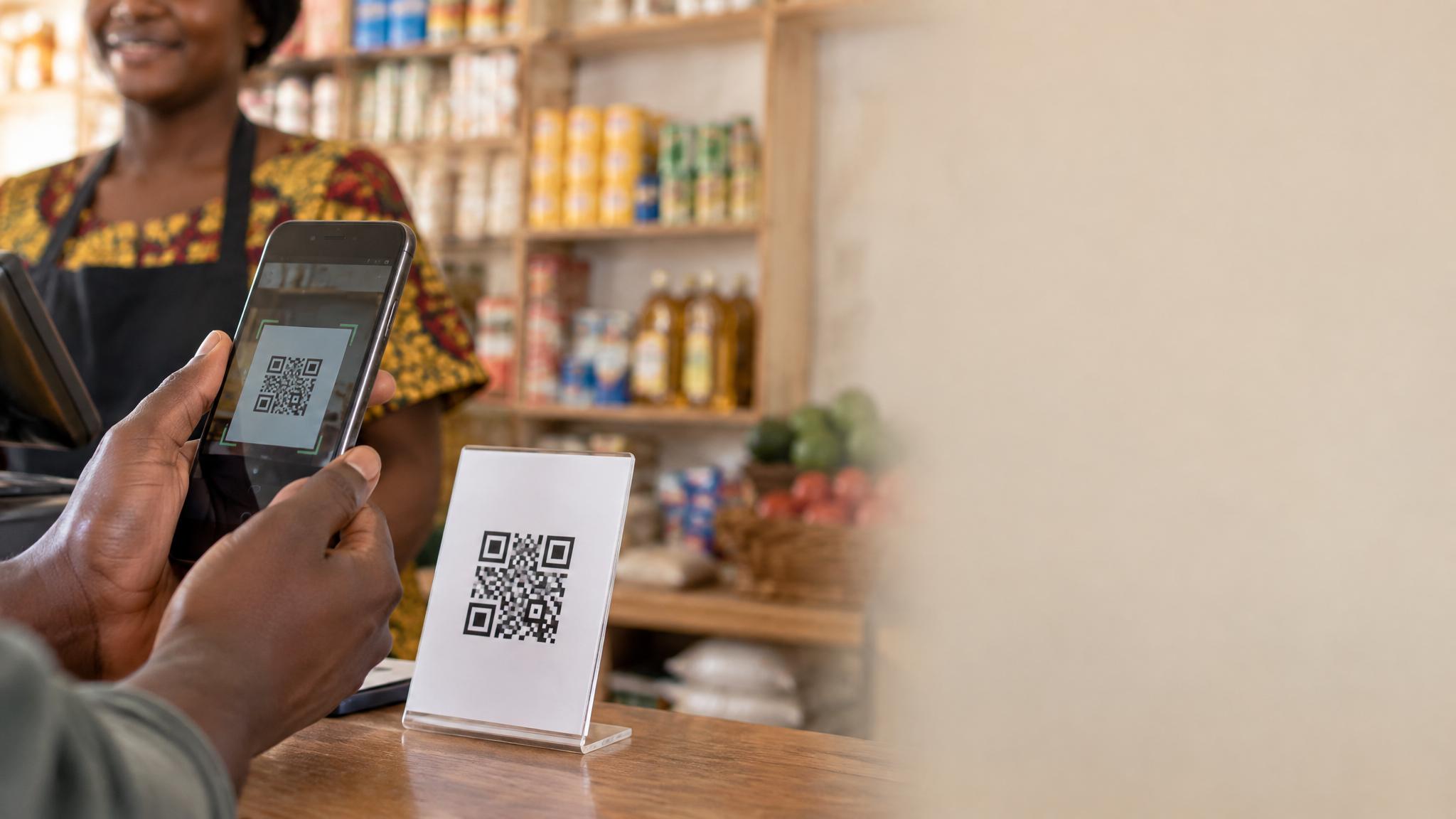
EcoCash merchant accounts allow businesses to receive payments via a unique merchant code. When integrated with an invoicing system or business app, customers can pay by entering the merchant code and invoice amount in their EcoCash app, or by scanning a QR code that pre-fills the payment details. The business receives instant confirmation and the invoice is automatically marked as paid.
Setting up an EcoCash merchant account requires: a registered business, a valid ID, and a visit to an EcoCash agent or Econet service centre. Processing fees are typically 1-2% of the transaction value.
Paynow Integration
Paynow is Zimbabwe's most versatile payment gateway, supporting EcoCash, InnBucks, bank transfers, and Visa/Mastercard in a single integration. For businesses with a website or app, Paynow provides an API that allows you to embed a payment button directly in digital invoices. When the customer clicks "Pay Now", they are taken to a secure Paynow page where they choose their preferred payment method.
Paynow charges 2% per transaction with a minimum of $0.50. For invoices above $25, this is competitive with card processing fees globally.
ZIPIT for Business-to-Business Payments
For B2B invoicing where clients pay from business bank accounts, ZIPIT transfers are the most common method. Include your bank account details (bank name, branch, account number, and SWIFT code for international clients) prominently on every invoice. Some businesses also include a ZIPIT QR code that pre-fills the payment details.
Real Zimbabwe Business Examples
Mutare Catering Company: From 21-Day to 7-Day Payment Cycles
A Mutare-based catering company serving corporate events and NGO functions was struggling with cash flow. Their paper invoicing process meant invoices sometimes took three days to reach clients after an event, and follow-up was inconsistent. After switching to Zoho Invoice with WhatsApp PDF delivery and EcoCash payment instructions, their average payment cycle dropped from 21 days to 7 days. The automatic reminders handled 80% of follow-up without any staff involvement. The owner estimated saving four hours per week previously spent on payment chasing.
Harare IT Services Firm: Professional Credibility Wins Corporate Contracts
A Harare IT support company was losing tenders to larger competitors despite offering competitive pricing. After implementing a professional invoicing system with branded templates, client portals, and detailed service breakdowns, they won two corporate contracts that had previously gone to larger firms. The procurement manager at one client specifically mentioned that the professional invoicing system gave them confidence in the company's operational maturity. The invoicing upgrade cost $35 per month and contributed to $8,000 in new annual contract value.
Bulawayo Wholesale Distributor: Eliminating Invoice Disputes
A Bulawayo wholesale distributor supplying retail shops across Matabeleland was dealing with frequent invoice disputes. Retailers would claim they had not received certain goods, or that quantities were different from what was invoiced. By switching to digital invoices with itemised delivery confirmations and requiring a digital acknowledgement from the retailer upon delivery, disputes dropped by 85% in the first quarter. The system also revealed that two retailers were consistently paying 30+ days late, allowing the distributor to adjust credit terms proactively.
Digital Receipts for Retail and Point-of-Sale Businesses
For retail businesses, digital receipts serve a different purpose than invoices. A receipt is issued immediately after payment, confirming the transaction. Digital receipts offer several advantages over paper rolls.
SMS and WhatsApp Receipts
The simplest digital receipt system sends an SMS or WhatsApp message to the customer's phone immediately after payment. The message includes the business name, date, items purchased, amount paid, and a reference number. This costs roughly $0.02-$0.05 per receipt in SMS costs, compared to $0.03-$0.08 for thermal paper receipts when you factor in paper roll costs and printer maintenance.
For businesses using point-of-sale systems, SMS receipts can be automated: the POS system triggers the SMS the moment a sale is recorded. Customers appreciate not having to carry paper, and businesses benefit from having a digital record of every transaction.
Email Receipts
For higher-value purchases or business customers, email receipts are more appropriate. They can include more detail, attach a PDF receipt, and serve as a record for the customer's own accounting. A Harare electronics retailer implemented email receipts for purchases above $50 and found that return rates dropped by 12%, as customers had clear documentation of what they purchased and the warranty terms.
In-App Receipts
For businesses with their own mobile app, in-app receipts are the gold standard. Every purchase is recorded in the customer's order history, accessible at any time. This eliminates "I lost my receipt" situations entirely and provides the business with rich data on customer purchase patterns.
ZIMRA Compliance and Digital Records
Zimbabwe Revenue Authority (ZIMRA) requires businesses to maintain accurate records of all transactions for a minimum of six years. Digital invoicing systems make compliance significantly easier than paper systems.
Key compliance considerations for Zimbabwe businesses:
- Fiscal device requirements: Businesses registered for VAT are required to use ZIMRA-approved fiscal devices. Ensure your digital invoicing system is compatible with or separate from your fiscal device obligations.
- Record retention: Digital records stored in cloud-based systems like Wave or Zoho are automatically backed up and accessible for the required six-year period.
- Invoice numbering: ZIMRA requires sequential invoice numbering. All major invoicing platforms handle this automatically.
- VAT invoices: If your business is VAT-registered, invoices must include your VAT registration number, the VAT rate applied, and the VAT amount separately. Digital systems can be configured to include all required fields automatically.
Key Takeaways
- Paper invoicing has hidden costs: Beyond printing, paper systems cost Zimbabwe businesses in lost invoices, payment delays, and time spent on manual follow-up. Digital systems pay for themselves quickly.
- Free tools are sufficient for most small businesses: Wave and Zoho Invoice provide professional invoicing at no cost, making the switch accessible for businesses of any size.
- Local payment integration is the key differentiator: Connecting invoices to EcoCash, Paynow, or ZIPIT removes friction and dramatically reduces payment times.
- Automatic reminders do the heavy lifting: Setting up three-stage reminder sequences eliminates most manual follow-up without damaging client relationships.
- Digital records simplify ZIMRA compliance: Cloud-based invoicing systems automatically maintain the records required for tax compliance, reducing audit risk.
Frequently Asked Questions
Do I need internet access to issue digital invoices in Zimbabwe?
Most cloud-based invoicing platforms require internet access to send invoices. However, you can prepare invoices offline and send them when connectivity is available. For businesses in areas with unreliable connectivity, a mobile app with offline capability is a better solution. Some POS systems also allow offline receipt generation with automatic sync when connectivity is restored.
Can I use digital invoicing if my clients are not tech-savvy?
Yes. The most accessible approach for less tech-savvy clients is WhatsApp PDF delivery. You generate a professional PDF invoice and send it via WhatsApp, which virtually every Zimbabwean with a smartphone uses. Include your EcoCash number prominently so they can pay using a method they already know. You do not need clients to create accounts or use any new technology.
How much does it cost to set up a digital invoicing system?
A basic system using Wave or Zoho Invoice costs nothing beyond your existing internet access. A mid-tier system with Paynow integration costs $2-$5 per month in platform fees plus 2% per transaction. A fully integrated invoicing system built into a custom business app typically costs $800-$2,500 to develop, with ongoing hosting costs of $20-$50 per month. The right investment level depends on your invoice volume and the value of faster payment to your business.
What happens if a client disputes a digital invoice?
Digital invoices create a clear audit trail that makes disputes easier to resolve. You have a timestamped record of when the invoice was sent, when it was opened (if using email tracking), and when payment was received. Most platforms also allow you to attach supporting documents such as delivery notes, photos, or signed agreements to the invoice. This documentation typically resolves disputes quickly and professionally.
Is digital invoicing secure for Zimbabwe businesses?
Reputable platforms like Wave, Zoho, and QuickBooks use bank-level encryption and are more secure than paper records, which can be lost, damaged, or accessed by anyone who finds them. For payment processing, Paynow and EcoCash use the same security standards as international payment processors. The main risk to manage is account access: use strong passwords and enable two-factor authentication on your invoicing platform.
Related Articles
About ZimNinja Apps Team
ZimNinja Apps is Zimbabwe's leading PWA development company, specializing in affordable, high-performance Progressive Web Apps for small and medium businesses. Based in Bulawayo and serving clients across Zimbabwe, we've helped hundreds of businesses transform their operations through smart digital solutions.